下载备注说明:
1.有些P2P资源共享较早,会出现无源或暂时无源的情况,如果您喜欢它,请耐心挂机等待。
2. 有些磁力链接无法自动解析,比如:
[url=magnet:?xt=urn:btih:E1346C46C3736056756E98D2EC22A383D7D2600F&dn=[www.books51.com]太阳之下_幸福北韩 Under.the.Sun.2015.DOCU.1080p.WEB-DL.AAC2.0.H264-FGT 4GB]点击下载[/url]
可自行选择字符
[url=
红色为磁力地址
]点击下载
之间的内容
(红色字符代表要复制的磁力链接代码,选择后点击CRTL+C 复制到下载工具中)
|
游客,本帖隐藏的内容需要积分高于 1 才可浏览,您当前积分为 0
资源信息:
中文名: 3D模型纹理与细节刻画工具
英文名: 3D-Coat
资源格式: 压缩包
版本: V3.00.08M WIN32
发行时间: 2009年
制作发行: 3D-Coat
语言: 简体中文,繁体中文,英文,法文,俄文
概述:
官方网站 http://www.3d-coat.com/
3D-Coat: 专注于3D模型纹理与细节刻画的工具
专为游戏模型的开发而设计,专注于细节的雕刻和纹理贴图的绘制(粗模在其他的3d软件中完成)。 使您最初在一个细分到3百万面到5百万面的精度下进行设计。由于采用了法线贴图作为视窗显示的技术,大大加快了您对对象的编辑和查看速度。
3D-Coat is a useful tool for 3D artists and designers aimed to boost the speed and quality of 3D-object texturing and detailing and developed specifically for game development and 3D-art needs.
Advantages of 3D-Coat:
Painting textures and sculpting. It combines painting layered textures and sculpting in one easy to use interface.
3D Layers. Every layer consists of a colour, specular, transparency and displacement channel.
Compatibility. Full compatibility with Light Wave 3D, Modo through . lwo format, with Maya, 3ds Max, Carrara through .fbx (import) and .obj format.
3D mouse support. 3D-Coat supports 3D SpaceNavigator of 3DCONNEXION. Navigation became more handy and intuitive.
Connection with Adobe Photoshop. It can work in a deep connection with Adobe Photoshop ® or any 2D-editor that can edit PSD files.
Adaptive subdivision. The main difference between 3D-Coat and other sculpting software is its adaptive subdivision algorithm. Usually sculpting programs divide every edge in 2 parts, so it is very difficult to work with long polygons. 3D-Coat however subdivides every edge in the source mesh depending on its length. So long polygons may be subdivided in a proportion of for example 9:147. You can change mesh resolution multiple times (like other software usually does), but also ina percentage, for example 50%. You paint in 3D-Coat on the vertices, but the adaptive subdivision makes the subdivided mesh very uniform. It is preferable that the mesh has no overlapping UVs, but 3d brush can generate its own UVs if neccesary.
Features:
1) Usual workflow. At input you provide an OBJ file of 1-100 thousand polygons, preferrably with UV-mapping in place, at output you get either an object of 1-10 million polygons or textures of normals, displacement, color, transparency and specular. Maximal texture size is 4096 per 4096. Fully seamless texturing provided!
2) Relief, color, specular. Possibility to draw relief detailing, color, specular and transparency on model's surface.
3) Copy/Paste. All you previously did in 2D now can be done in 3D editing with layers, cloning surface areas, image transforming on surface, Copy/Paste, filling sealed areas, gradient filling, filling area inside contour, darkening, lightening, smoothening, sharping and so on.
4) Technology of 3D-Coat. Small geometry details get automatically added onto normal map, while large ones modify the geometry. As a result, the object of 40 to 80 thousand polygons displayed on screen looks as of 5 to 10 million polygons owing to detailed normal map.
5) Normal map gets instantly formed, so you can view the object in low-polygonal mode and straight away see how it is going to look in your game or scene. This is particularly important for developing games.
6) Details, applied along a spline. You can easily add details, applied along a spline, such as chains, bandages, fringe, zipper. Details can be imported as from 3D objects, so as from images.
7) Channels of pen. Pens you draw with contain plenty of channels - depth, color, specular, eraser mask. This allows to considerably speed up the object detailing as you can both apply relief detailing and draw with color.
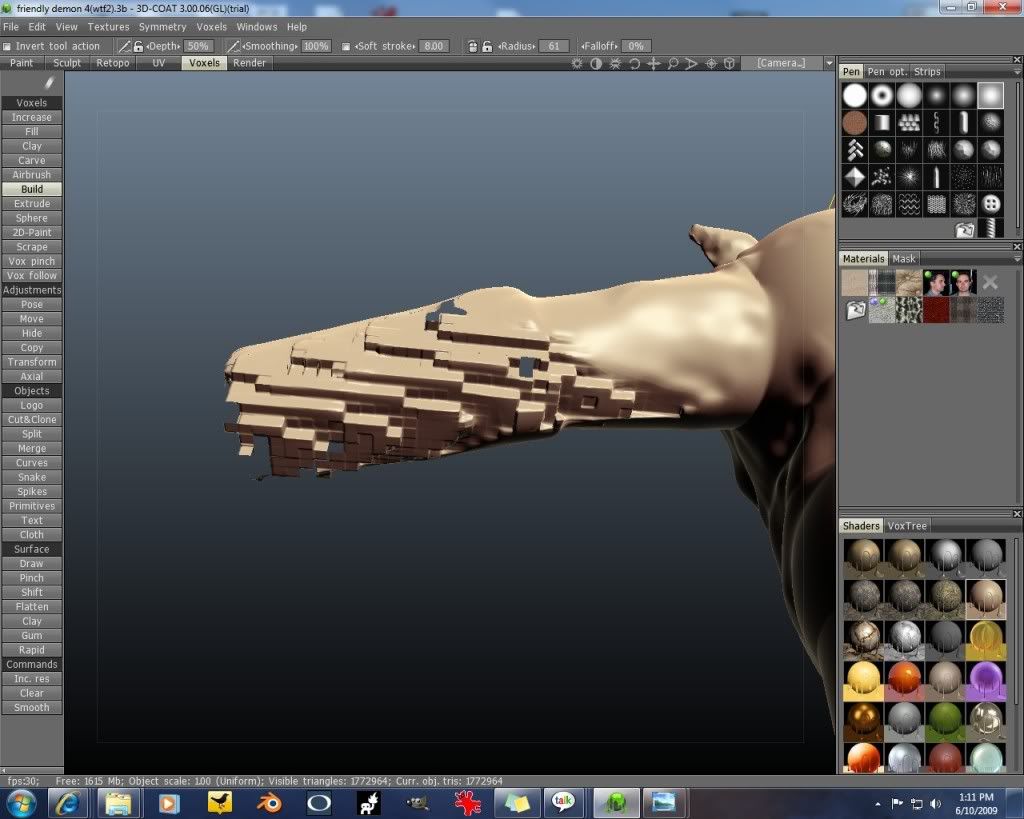
8) Body sculpting. Although 3D-Coat is more oriented for small detailing, it allows for global object modification, body sculpting too. You can easily bend a hand or a finger, enlarge the head, change object proportions or posture.
9) Object deforming tool. You can fix several points on the object's surface and pull one of them to see the object smoothly deforming. For example, you can easily create a smile or enlarge the object's ear by simply pulling it having fixed the head.
10) Text scribing. You can easily scribe text any way you like, even wrap the text around the object.
11) Fill with fractals and materials. Closed-up areas can be filled with fractals and materials which contain depth, color and specular. The material can be applied not only from camera, but also with use of cubic mapping.
12) Transfer details from photo. You can transfer details onto the object straight from a photo.
13) Draw with contour, square. You can draw not only with a pen, but also with a contour, square, line linking two dots or a spline curve. This allows drawing not only soft organic forms, but also even, strict 'man-made' forms.
14) Connection with Adobe Photoshop. Working in 3D-Coat you can edit texture or current projection in the external graphics editor, and this works with layers in place! For example, you can add a layer in Adobe Photoshop and it will get automatically transferred into 3D-Coat.
15) Posibility to edit in external 2D editor. Virtually all can be edited in external 2D editor ?C pens, current selected area, clipboard contents, while preserving channels of depth, color, specular.
16) High resolution textures. Exporting textures and 32-bit displacement.
17) Generation of UV. Automatic generation of UV coordinates enabled
18) Several textures. Support of objects with several textures.
System requirements:
OS: Windows 2000, XP, Vista, Mac OS 10.4.5 (Intel) or later
CPU: 1.2 GHz or better
RAM: 512Mb (4096 recommended)
Video: Radeon 9200/Nvidia 5600 128Mb (256 recommended) or better
DirectX 9.0c or better for Windows, OpenGL 2.0 for MacOS
本资源使用crack破解
======================================================
更多资讯请点击访问
[安全检测] 已通过安全检测
*安全检测软件:F-Secure Internet Security 2010 10.00 build 246
版本详情:
F-Secure 病毒和间谍防护 9.10 build 15261
F-Secure 自动升级代理 8.25 build 3737
病毒库发布时间:更新到即时
[安装测试] 未经过安装测试,使用者后果自负与本论坛无关。
[免责声明]
*本帖介绍的文本内容转自网络,如有出入则以官方站点公布之信息为准。
*关于软件破解及注册机可能被杀毒软件报病毒或间谍木马,请自行甄别和取舍,不另行加以解释。
*资源下载后请对文件做必要的安全检测,该下载内容仅限于个人测试学习之用,不得用于商业用途,并且请在下载后24小时内删除。
*各计算机系统环境各不相同,因此不保证该软件完全兼容于你的计算机系统,最终解决软件安装问题请联络官方站点寻求相关技术支持。
*资源版权归作者及其公司所有,如果你喜欢,请购买正版。
[相关提示]
*对本资源下载前,请仔细阅读帖中介绍内容以及相关评论,以便对资源软件以及共享情况作尽可能多的了解,不主张盲目下载。
*软件以适用为选择,请勿轻易更新原有软件版本,非中文版本之软件可能在中文系统下无法安装运行或出现软件兼容性问题。
*为保证最新版本的软件能够顺利安装和运行,请登陆系统官方站点对系统做必要的升级和更新。
*发布之资源都将包含(破解补丁/注册机/序列号等)任一方式的信息资料,任何试用装或内嵌及捆绑广告/插件版本将不会作为共享资源提供。
*安装下载资源前的安全检测必不可少,在软件安装过程中请开启安全防护软件的实时监控。
本资源谢绝迅雷、脱兔、vagaa等吸血客户端用户下载,使用以上客户端可能无法联接到本资源下载!VeryCD版电驴等GPL许可的正规emule用户请移步至http://board.VeryCD.com/t473571.html了解反吸血插件,或点此直接下载。
.
引用
Install the program in the default directory
1. Use our activator to register (as admin under Vista)
2. Enjoy your newly full registered app !
买鞋子哪个网站好?首选中国最大的正品鞋网商城(http://shoes.weixiaodian.com/)、 网上正品鞋城(http://u.weixiaodian.com/shoe/)。微店网页版请从http://121.weixiaodian.com登录:手把手教你如何免费申请开通微店、怎样经营微店及如何用微店赚钱。看笑话,上爱哈啦(http://www.aihala.com/)。
|
|


 发表于 2021-8-7 19:59:09




/thumb.jpg)


